
What PortWall does
PortWall is a web application firewall: it stands between your visitors and your websites and inspects every request before the website sees it. A request that carries an attack (SQL injection, cross-site scripting, a remote code execution attempt, a known exploit) is refused. An address that keeps attacking is blocked at the firewall, so its later traffic costs nothing to refuse. Clean traffic passes through unchanged.
It is self-hosted. PortWall runs on servers you control, and on your own servers; the traffic PortWall inspects and the logs it writes stay under your control. There is no third-party cloud proxy in the path of your traffic.
The two ways to run PortWall
PortWall comes in two forms, licensed differently:
- PortWall for Windows installs on a Windows Server that runs IIS, and protects every IIS site on that server. It also protects the server itself: password-guessing against Windows, RDP, mail and SQL Server logins, port scans, malware in uploaded files, and outbound connections from compromised sites. Licensed per server.
- The PortWall Linux appliance runs on its own virtual machine, cloud instance or physical server, in front of the web servers that host your sites, whatever they run. One appliance protects many sites and tenants. Licensed by the number of CPU cores it uses to inspect traffic.
Windows or the appliance: which one fits compares the two.
What protects your sites
Every edition includes:
- The WAF: a comprehensive, regularly updated set of attack rules, with a per-site mode so a new site can be watched before anything is blocked.
- Virtual patches for newly published vulnerabilities, so a site is protected before its software is updated.
- Threat-intelligence feeds and geo-blocking, enforced at the firewall.
- Upload scanning, which refuses a malicious file before the site receives it.
- Managed certificates: free HTTPS certificates obtained and renewed for each site automatically.
- Login brute-force protection, and per-site limits on API methods and routes.
Higher editions add Premium Threat Intelligence, herd immunity, bot protection and the Smart Tuning Advisor (Premium), and full API protection (Enterprise). See Choosing an edition.
Nothing fails silently
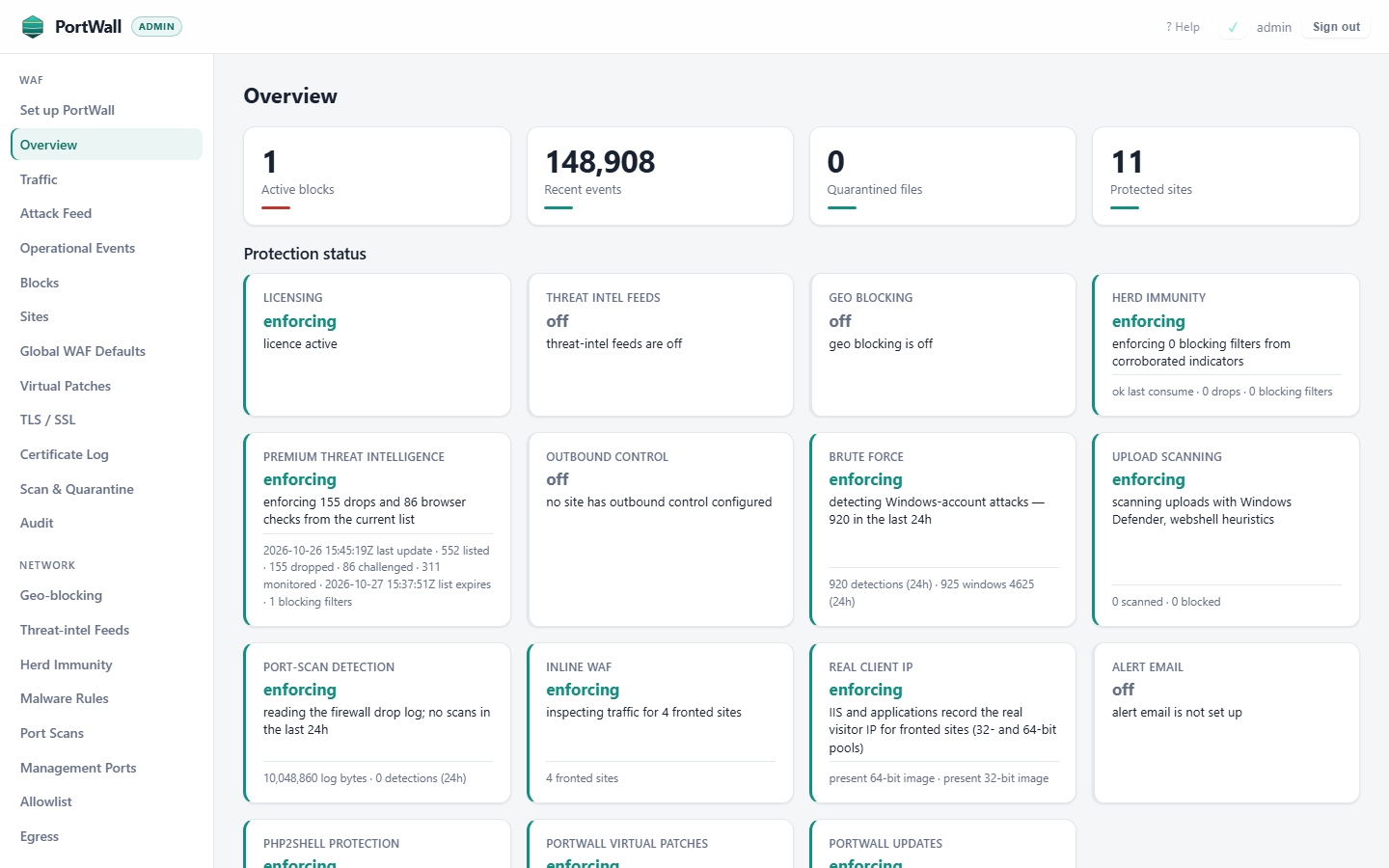
Every protection you turn on is checked continuously. If one stops actually enforcing, the console's Protection status turns it red, the errors panel lists it and an alert can email you. A protection is never shown as on while it does nothing. See Protection status and the errors panel.
Watch first, then block
A new site starts in detection mode: PortWall records what it would have blocked and blocks nothing. You review those records, fix any false positives with a few clicks, and switch the site to blocking when you are confident. See Sites and WAF modes.