
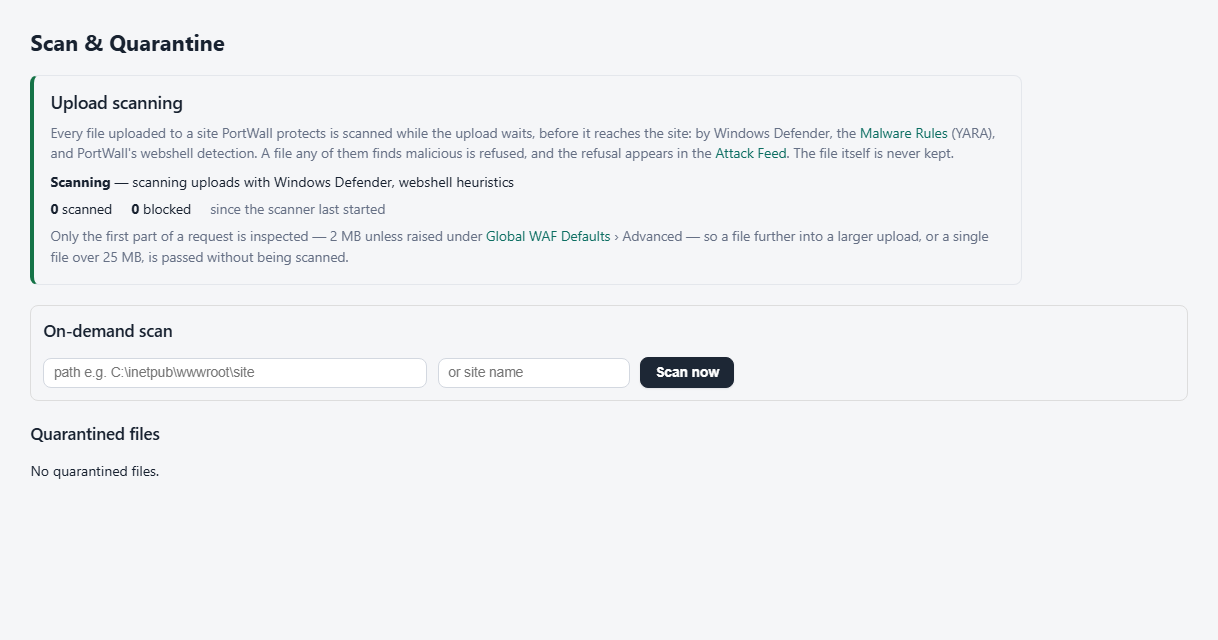
Every file uploaded to a site PortWall protects is scanned while the upload waits, before it reaches the site. A file found malicious is refused: the upload gets a 403, the site never receives the file, and the refusal appears in the Attack Feed. PortWall does not keep the file.
Upload scanning is on by default. Its page is Scan & Quarantine on Windows and Upload Scanning on the appliance.
What scans each file
| Scanner | On Windows | On the appliance |
|---|---|---|
| Antivirus | Windows Defender, in memory | ClamAV, which keeps its signatures up to date by itself |
| YARA rules | The rule packs on Malware Rules | The same |
| Webshell detection | PortWall's own: it unpacks obfuscated code (base64, gzip, rot13, character assembly...) and looks for webshell behaviour | The same |
A file is refused when any of them finds it malicious.
Is it working?
The card at the top of the page, the Upload Scanning tile under Protection status on the Overview, and the status panel all read the same check:
- Scanning (green): every file is scanned. The card shows which scanners ran, and how many files were scanned and blocked since the scanner last started.
- Scanning, with a problem (amber): files are still scanned, but by fewer scanners - for example the antivirus is not answering, or ClamAV's signatures are more than three days old - so some malware may be missed. The card says what to do.
- Not scanning (red): no file is being scanned - for example the scanner is not running. The card says what to do.
A scanner fault never refuses uploads: an upload the scanner cannot check is passed, and counted, so a fault cannot take every site's uploads down with it.
On the appliance: ClamAV
ClamAV downloads its signatures from ClamAV's servers over HTTPS, so the appliance needs outbound HTTPS. It checks for new ones once a night, shortly after midnight, when traffic is lowest: after an update ClamAV reloads its signatures, and for about a minute while it does, uploads are scanned by the YARA rules and the webshell detection only - at once, without waiting for ClamAV, and counted on the Upload Scanning status as scanned without it. An appliance with 8 GB of memory or more keeps scanning with ClamAV while it reloads. Midnight is in the appliance's time zone, set on System (UTC until you set one), and each appliance takes its own fixed minute between 00:15 and 02:15, shown on the Upload Scanning card. An appliance whose signatures are missing or more than two days old - a new one, or one that was switched off overnight - updates at once and then every hour until an update works. A new appliance downloads its first signatures within a few minutes of starting; until then, files are scanned by the YARA rules and the webshell detection only. ClamAV holds its signatures in memory - about 1.5 GB - so the appliance needs 4 GB of memory or more.
The ClamAV page
ClamAV in the menu shows whether ClamAV is running and answering, the signatures it has loaded and when they were published, how much memory it uses, and its signature updates: when the next one runs, when it last checked, and whether that worked. From there you can:
- Update now: check for new signatures straight away, instead of waiting for the night.
- Start, Stop and Restart ClamAV. A stopped ClamAV starts again when the appliance restarts, and the status panel warns while it is stopped.
- Turn off ClamAV: it stays stopped, also after a restart, its signatures are no longer updated, and uploads are scanned by the YARA rules and the webshell detection only. This frees about 1.5 GB of memory. Turn on undoes it.
Starting or restarting ClamAV takes about a minute while it loads its signatures.
What is not scanned
- PortWall inspects only the first part of a request - 2 MB unless raised under Global WAF Defaults › Advanced. A file further into a larger upload is passed without being scanned (or scanned only in part). Raise the limit if your sites take large uploads you want scanned; it costs memory per request.
- A single file over 25 MB is passed without being scanned.
- An unlicensed installation scans nothing it would block on, like every other protection.
Windows: files already on the server
On Windows, Scan & Quarantine also scans the files already on the server - on demand, or as they change in the folders you watch - and moves anything malicious into quarantine, from which it can be restored or deleted. The appliance keeps no site files of its own, so it has no quarantine.